Power-Ups that share one plan and one design
Add the ones each board needs from Trello's Power-Up directory. They use the same menus, buttons and colours, and they follow Trello's light and dark theme.

Board Insights
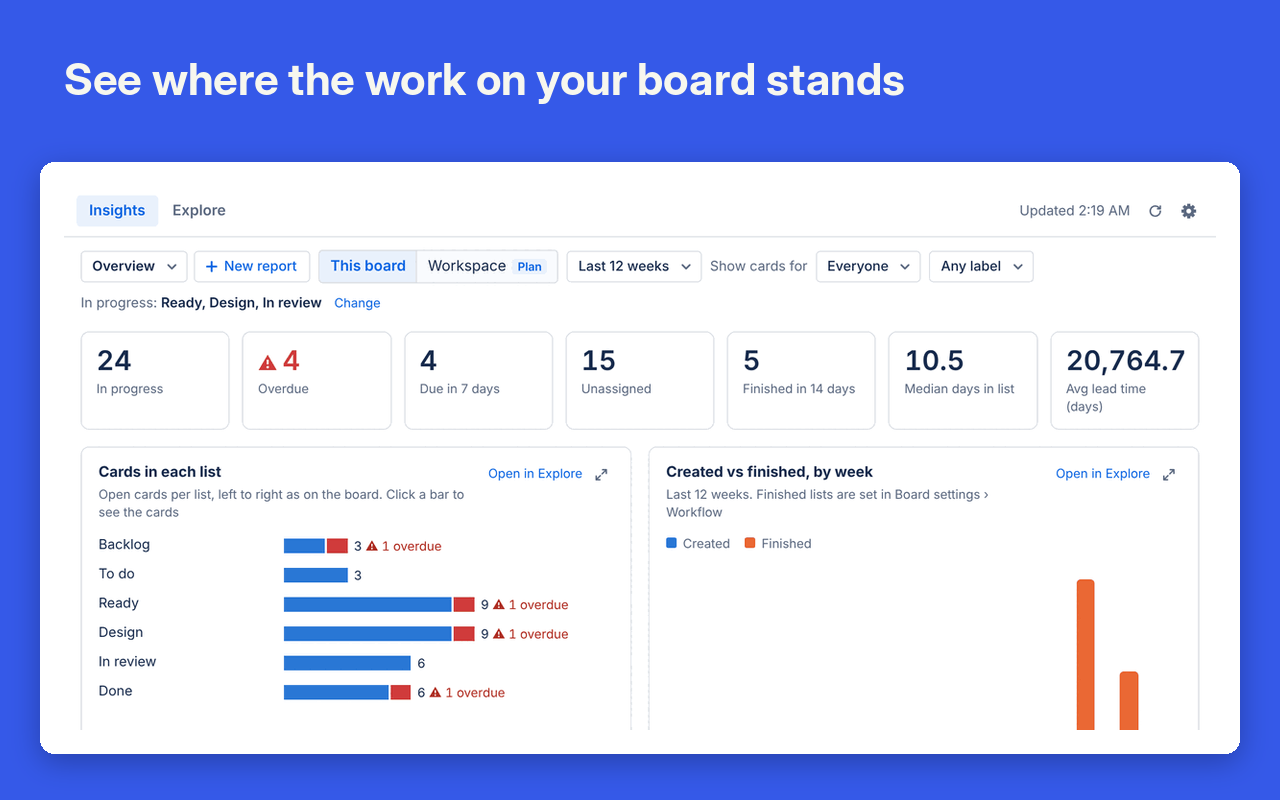
Charts and numbers for your board: work in progress, overdue cards, lead time and where cards pile up. Open it from the button at the top of the board. There's nothing to set up.
Know where the work stands
Tiles count cards in progress, overdue, due in the next 7 days and unassigned. Charts show cards in each list, cards started against cards finished each week, and how long work takes. Click any bar to open the cards behind it.
Answer your own questions
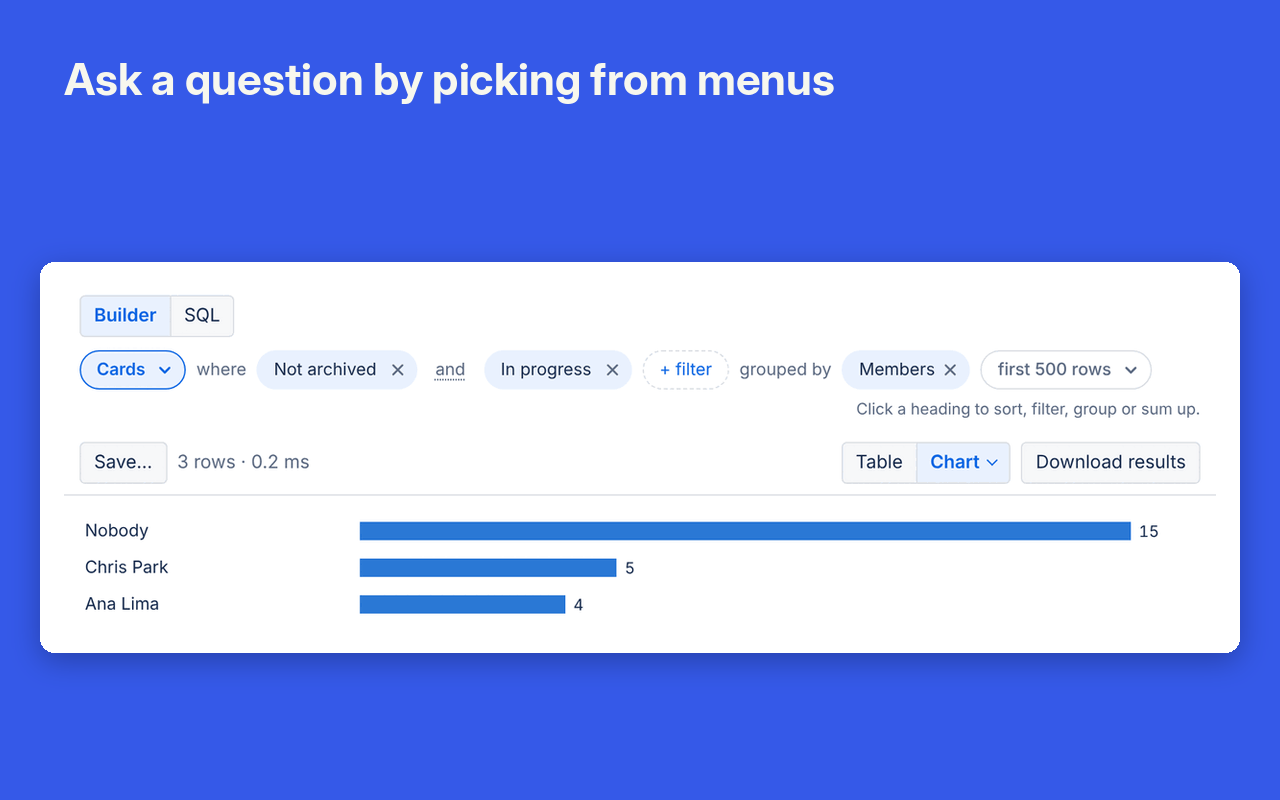
Explore builds a chart from a sentence you put together with menus, such as “cards in progress grouped by member”. Save it as a tile for the whole team. If you write SQL, every card, list, label, member and checklist is a table.
Catch stuck work on the board
Card badges tag cards that need attention: days in a list, untouched for 14 days, nobody assigned, blocked or overdue.
Free on one board. The plan adds the workspace view, which puts every board in the workspace into one set of charts.
File Viewer
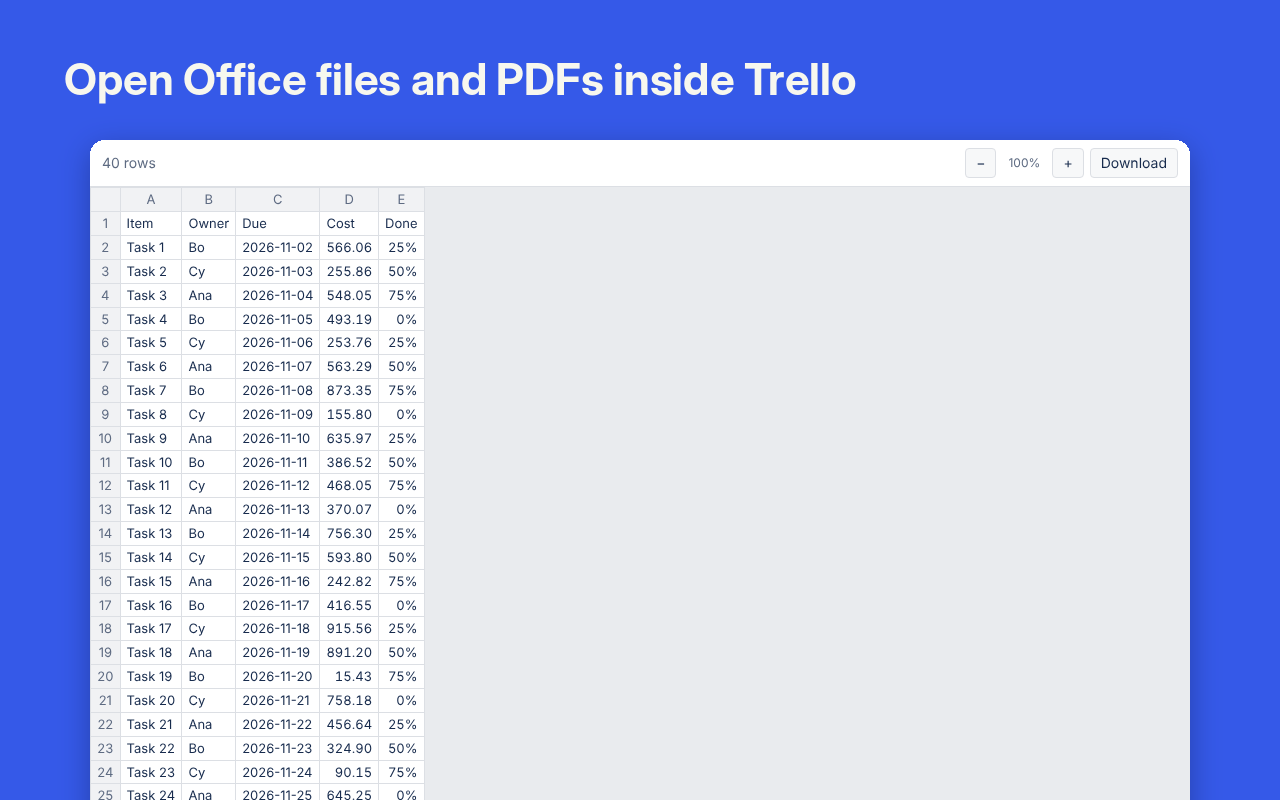
Read Word, Excel, PowerPoint, PDF and about 150 other file types on a card without downloading them.
Read files without leaving Trello
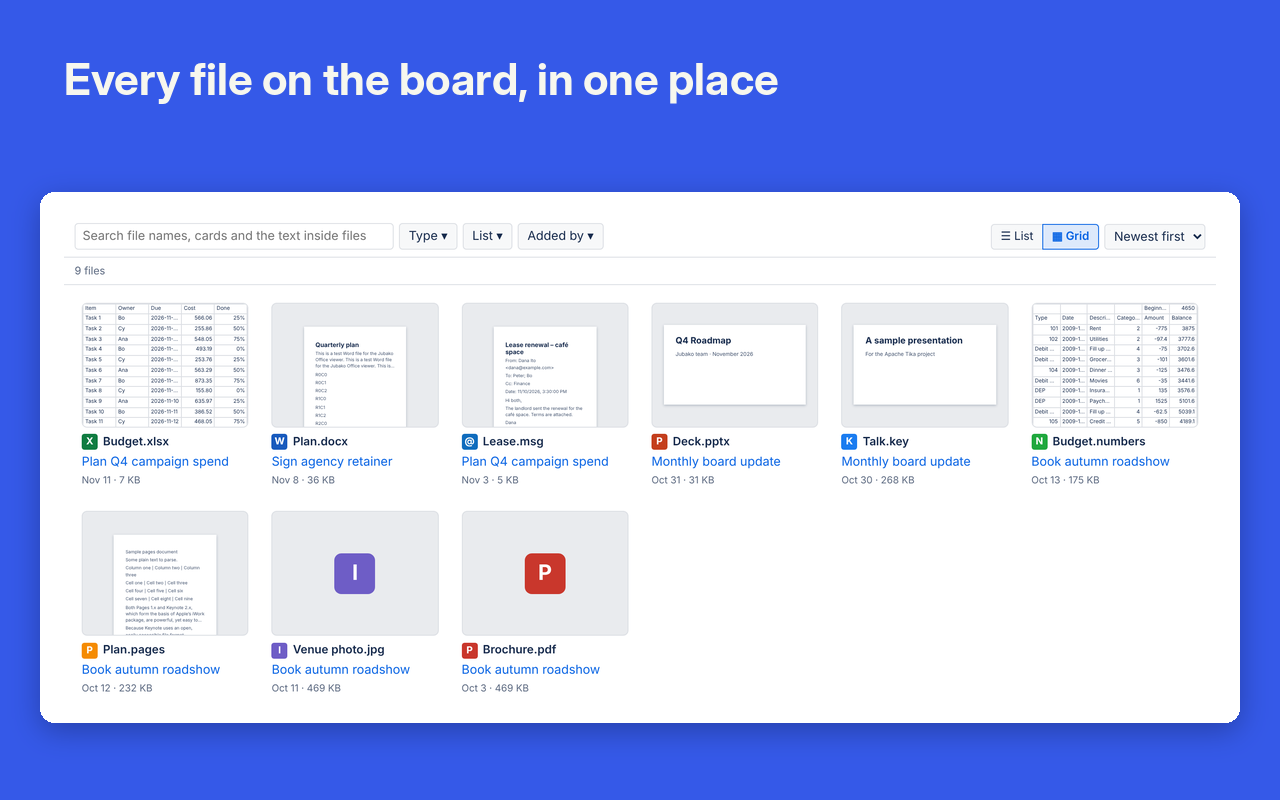
Cards with attachments get a File previews section with each file's first page, size and who added it. Click one to read it full screen, with zoom and Find. In a workbook, Find counts matches across every sheet.
Find any file on the board
The Files button lists every attachment on the board's open cards, newest first. Search file names, card names and the text inside documents and PDFs.
Opens the files people actually send
Old .doc, .xls and .ppt files, OpenDocument, Apple Pages, Numbers and Keynote, saved Outlook emails, CSV, and code with syntax highlighting. Video and audio play in place.
Free on every board.
Cards Exporter
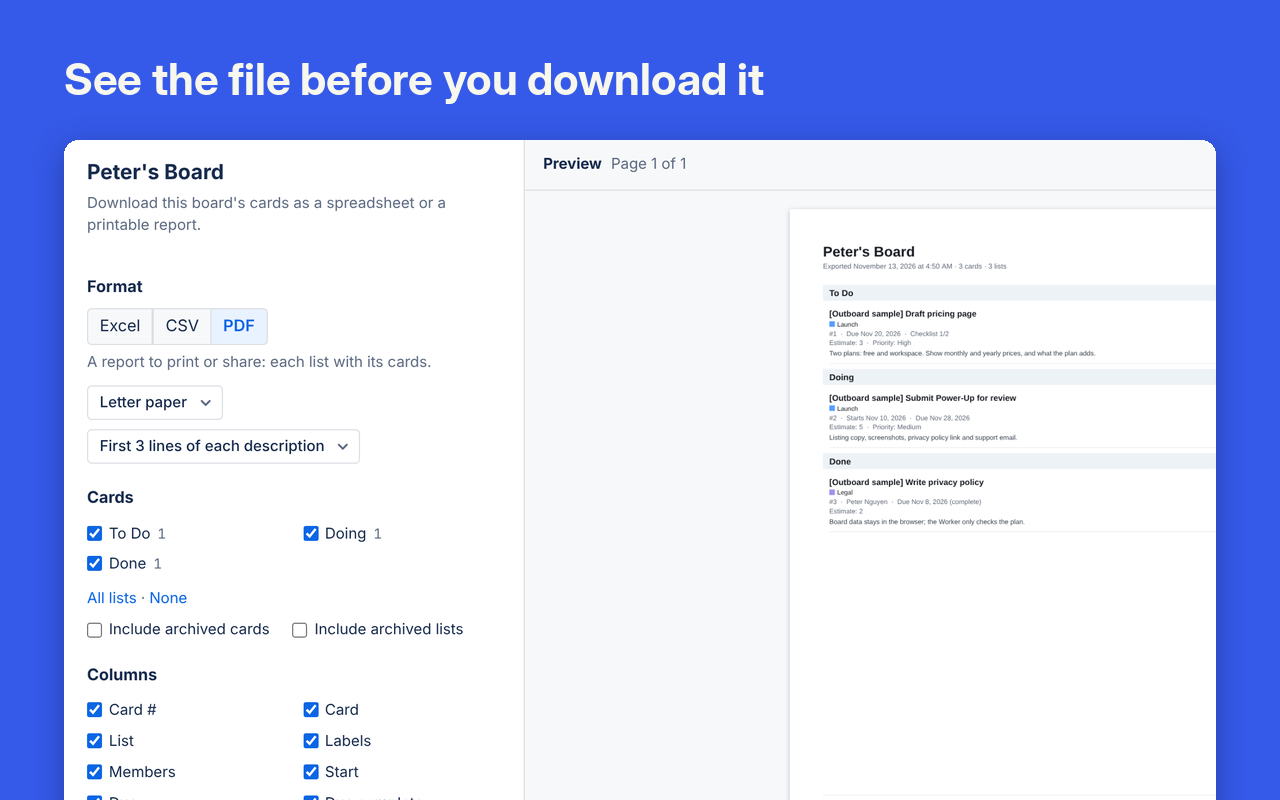
Download a board as an Excel workbook, a CSV file or a PDF report you can send to someone who doesn't use Trello.
See the file before you download it
Choose the format, the lists and the columns. The preview beside your choices updates as you go.
Spreadsheets that are ready to use
Workbooks have separate sheets for cards, checklist items and lists. Dates are real dates in your time zone, and the header row is frozen with filters on.
Reports you can hand to anyone
PDF reports show each list with its cards' labels, members, dates, checklist progress, custom fields and the start of each description, on A4 or Letter.
Free on one board. Scheduled exports, which attach a fresh file to a card on a timetable, need the plan.
Cards Importer
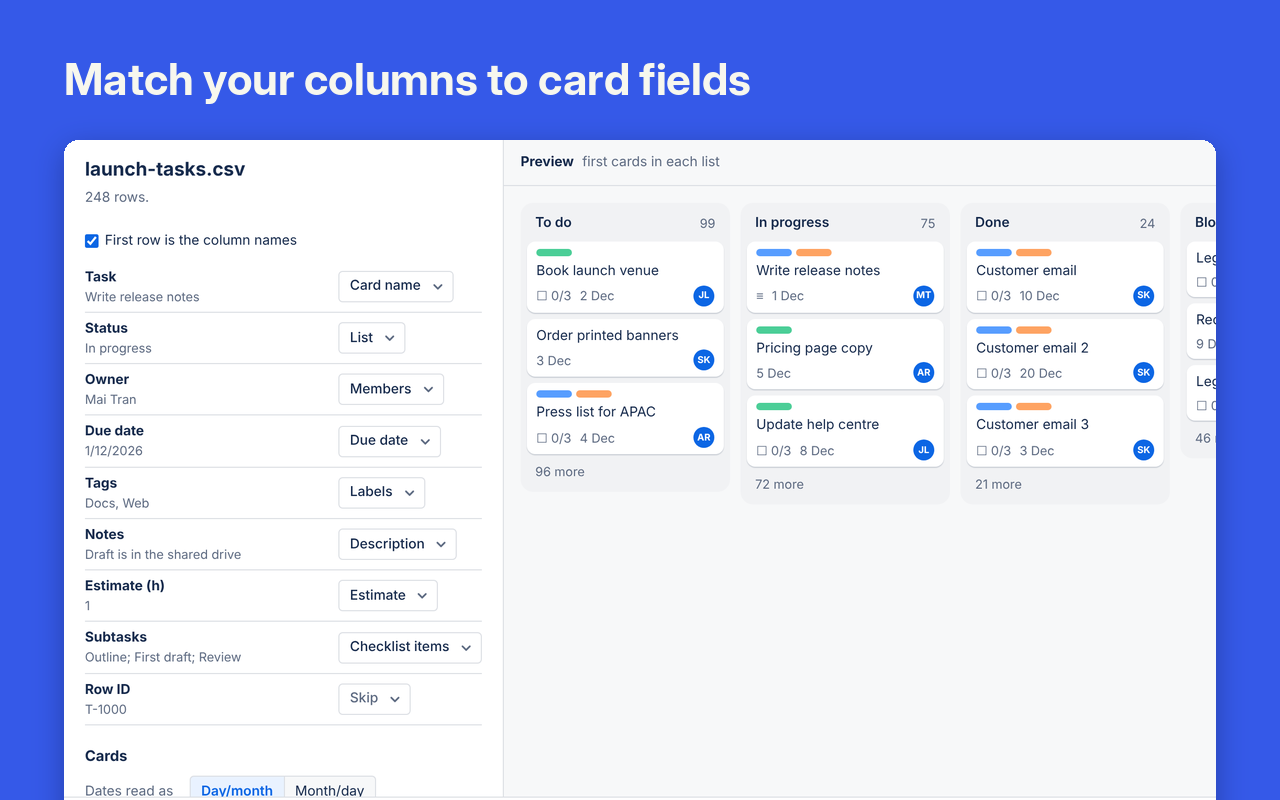
Turn spreadsheet rows into Trello cards, with their lists, labels, dates and checklists. It reads Excel, CSV, Numbers and OpenDocument files, or rows you paste.
Columns matched for you
It works out which column holds the card name, list, labels, members, dates and checklist items, using the column names that Trello, Jira, Asana and monday.com exports use.
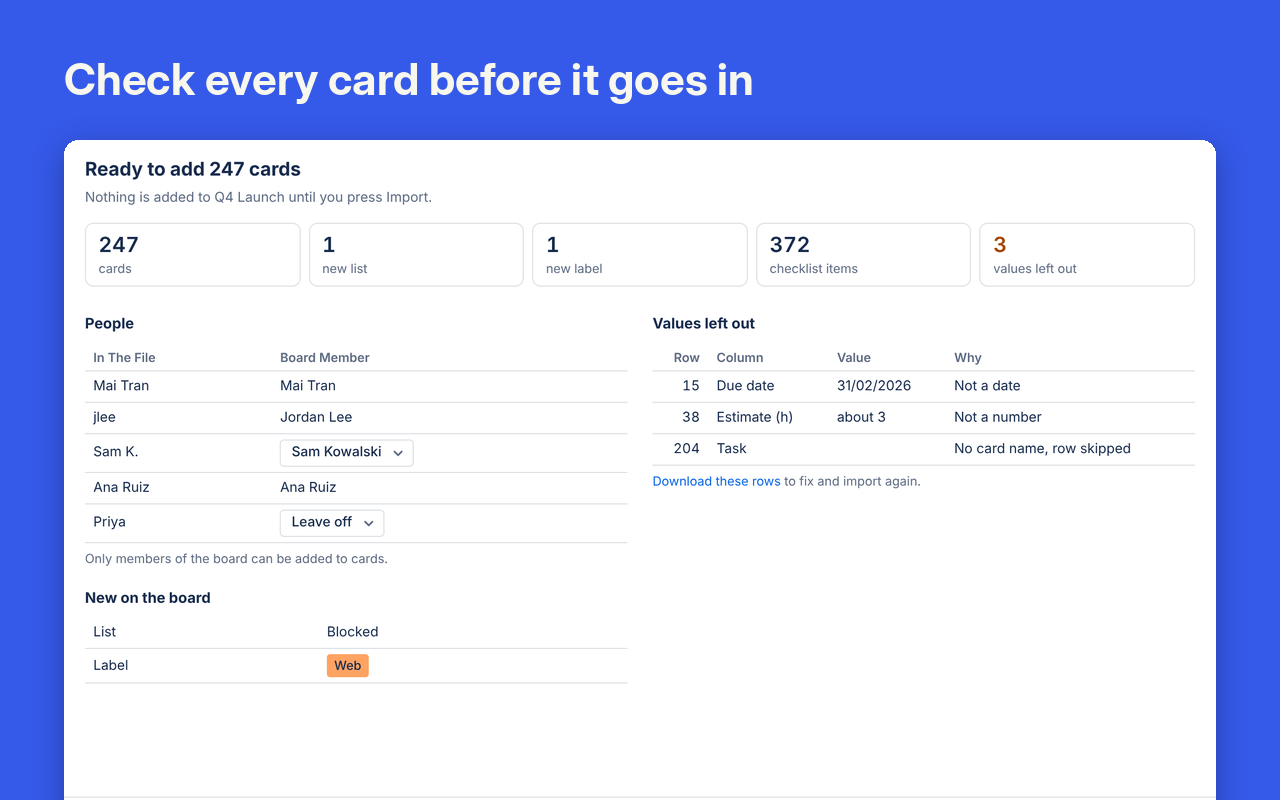
Check before anything is added
A check step counts the cards, lists and labels the import will make and lists every value it will leave out, with the reason.
Undo if you need to
Missing lists and labels can be made for you. If the result isn't right, Undo archives every card and list the import made.
Free for up to 100 cards per import. The plan raises that to 5,000.

Card Fields
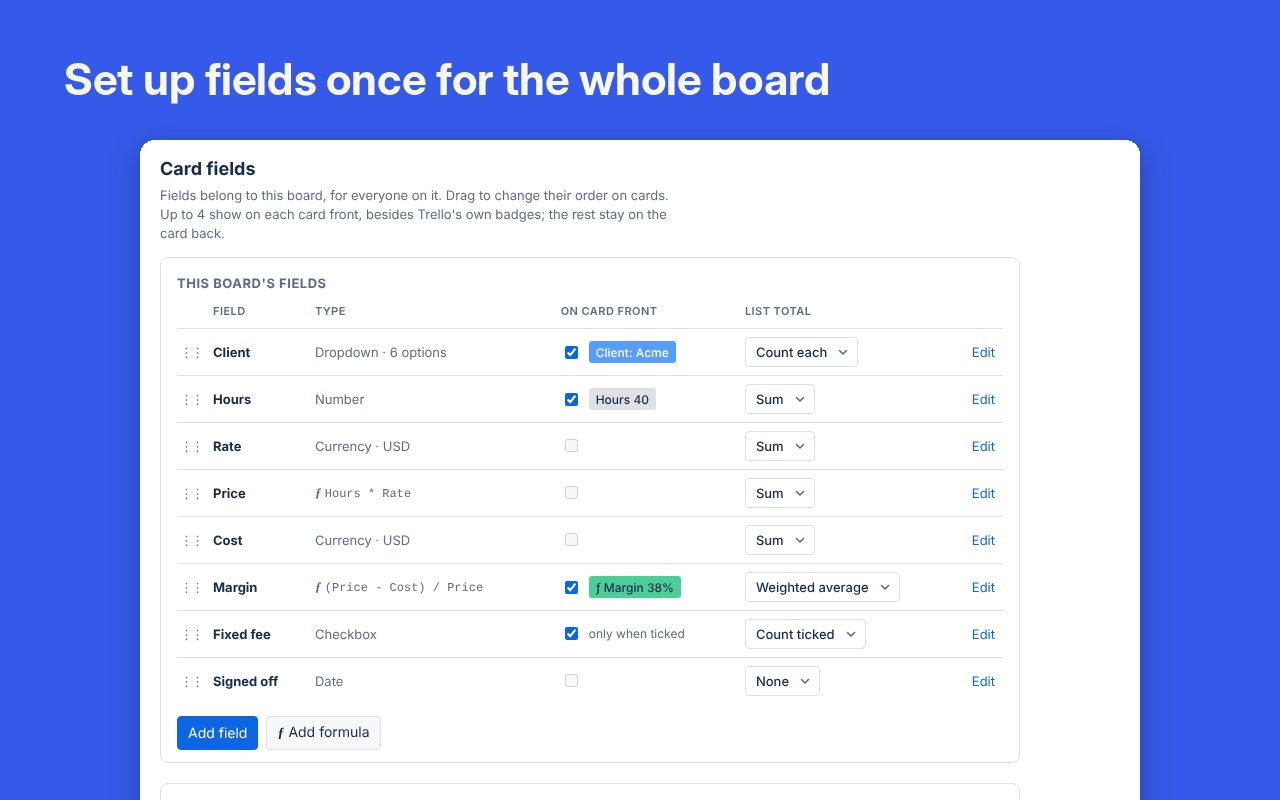
Add number, currency, dropdown, date and formula fields to cards, with totals for each list.
Fields your whole board shares
Set up to 30 fields once for the board, or start from a template such as Hours × rate = price.
Formulas that do the maths
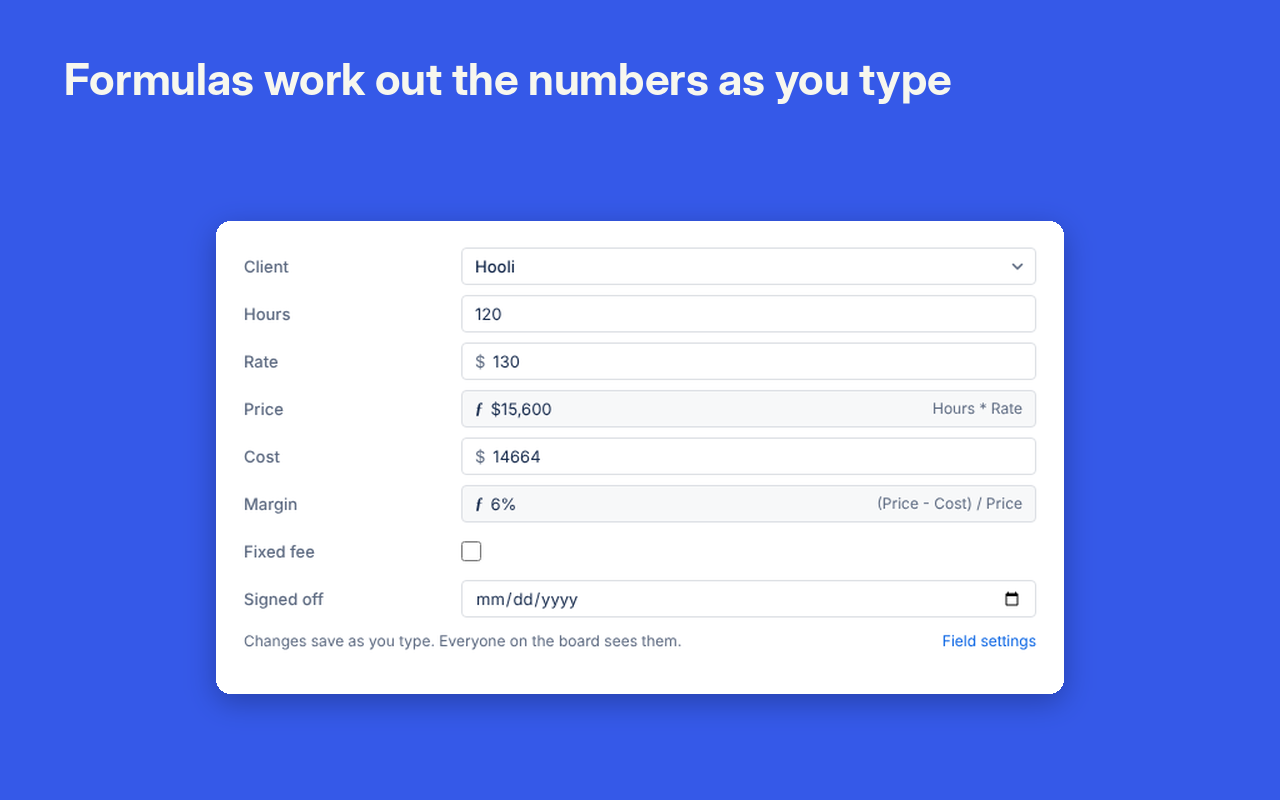
Write formulas with your own field names, such as (Price − Cost) / Price, plus IF, ROUND, MIN, MAX and DAYS. Each one is checked before you save it and previewed on real cards.
Numbers on the card front
Show up to 4 fields on each card front, coloured by rules such as red under 10%. A list's menu shows sums, averages or counts for the list.
Free for 3 fields per board. The plan allows up to 30.
Intake Forms
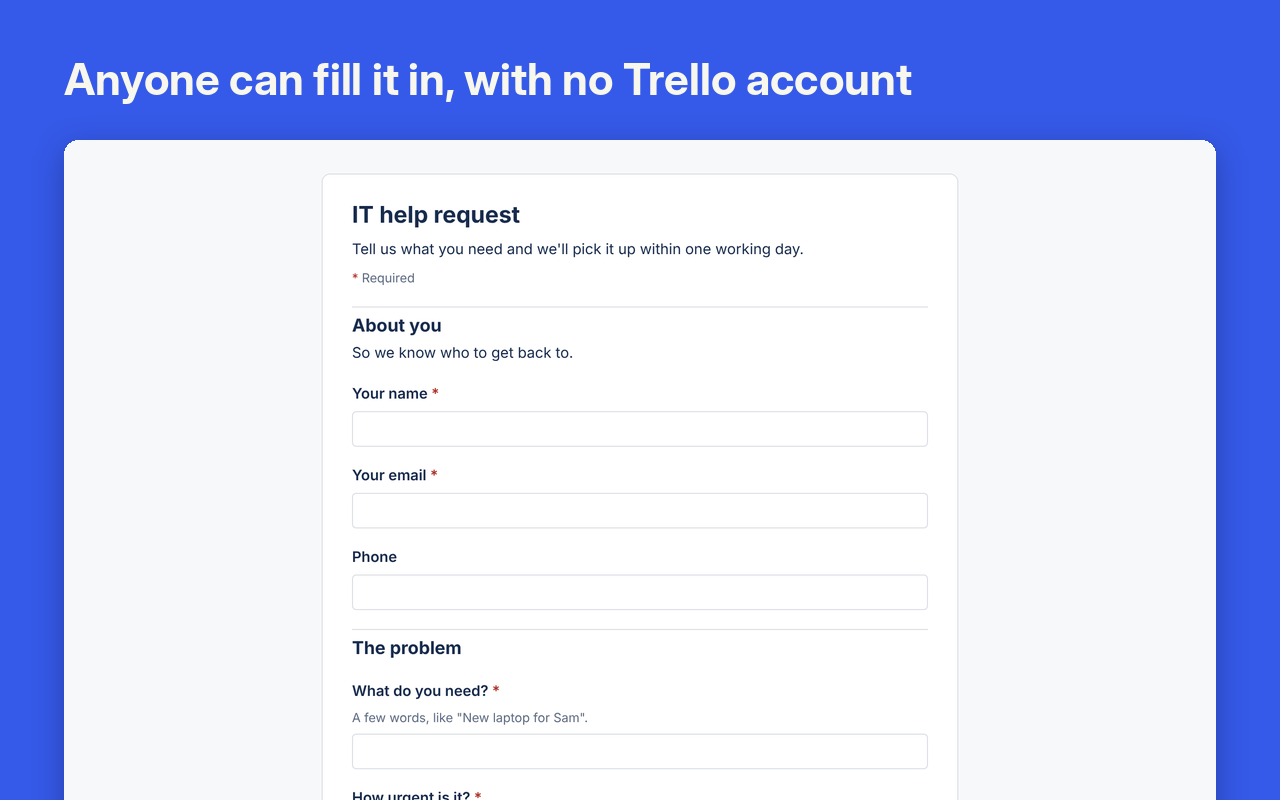
Public forms that turn each response into a card in the right list, for people without a Trello account.
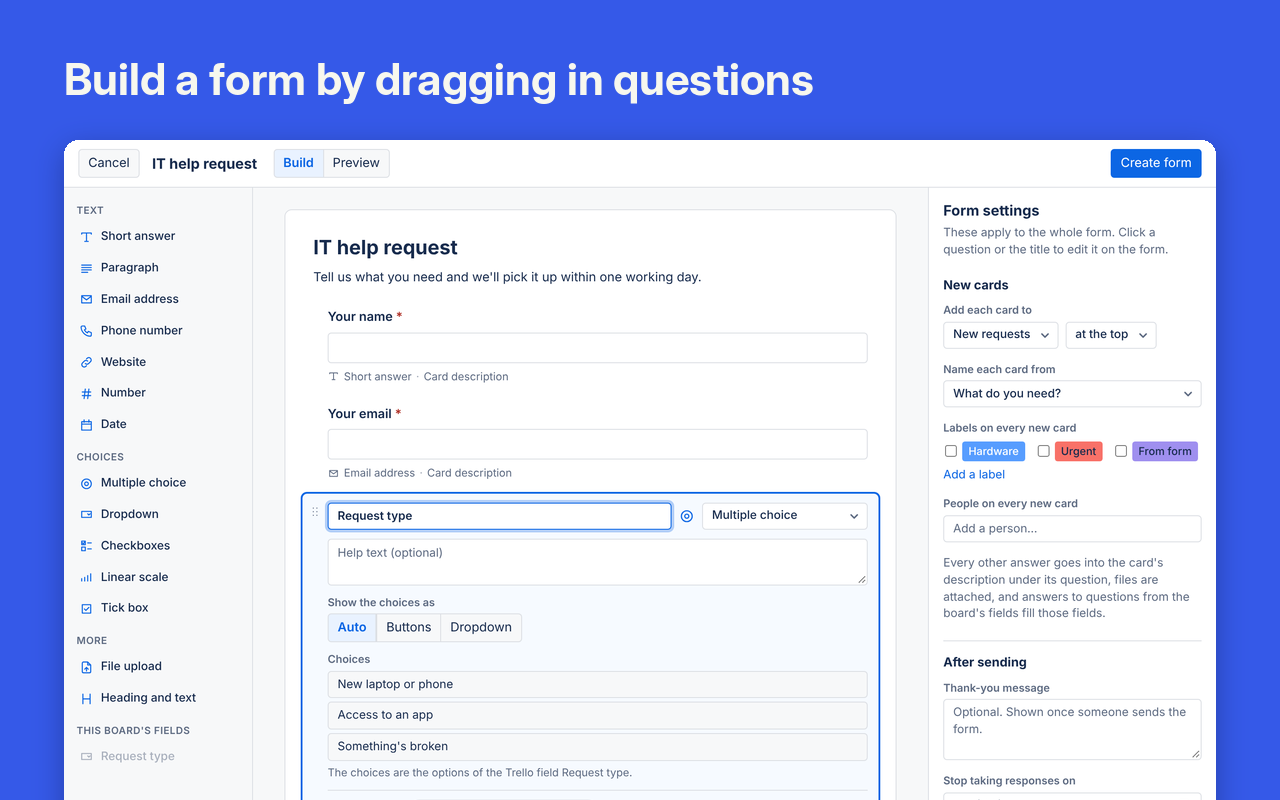
Build a form by dragging in questions
Choose from 13 question types, including dropdown, date, linear scale and file upload. Send each answer to the card name, description, a date or a custom field.
No Trello account needed
People open the link in any browser and fill in a plain form. Their answers arrive as a card a moment later, with uploaded files attached: up to 3 per question and 10 MB each.
Card Approvals
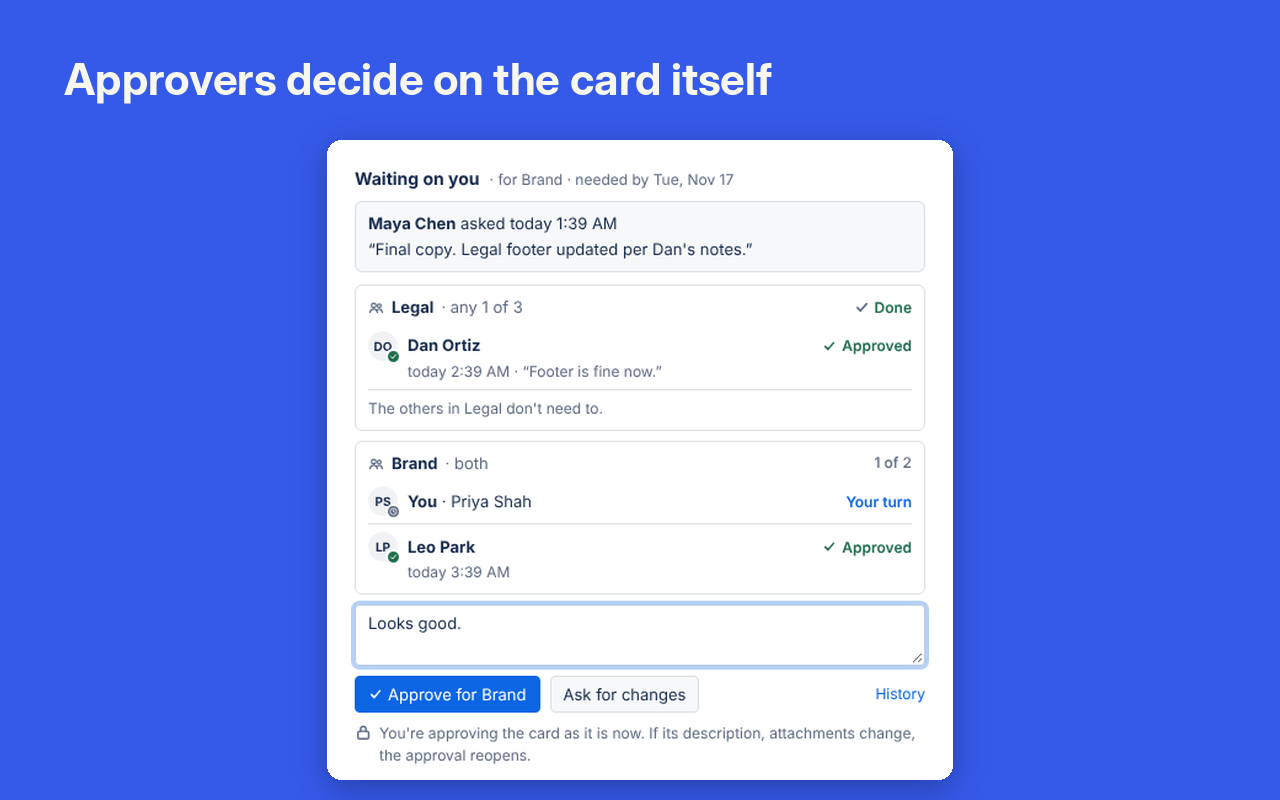
Ask named people to approve a card, and keep a record of every decision.
Ask the right people
Name people or groups, such as any 1 of Legal and both of Brand, and choose whether they decide together or in order. Trello notifies each approver with an @mention.
Nothing slips through
Each approver has a Waiting on you list, oldest first. If the description or attachments change after approval, the approval reopens.
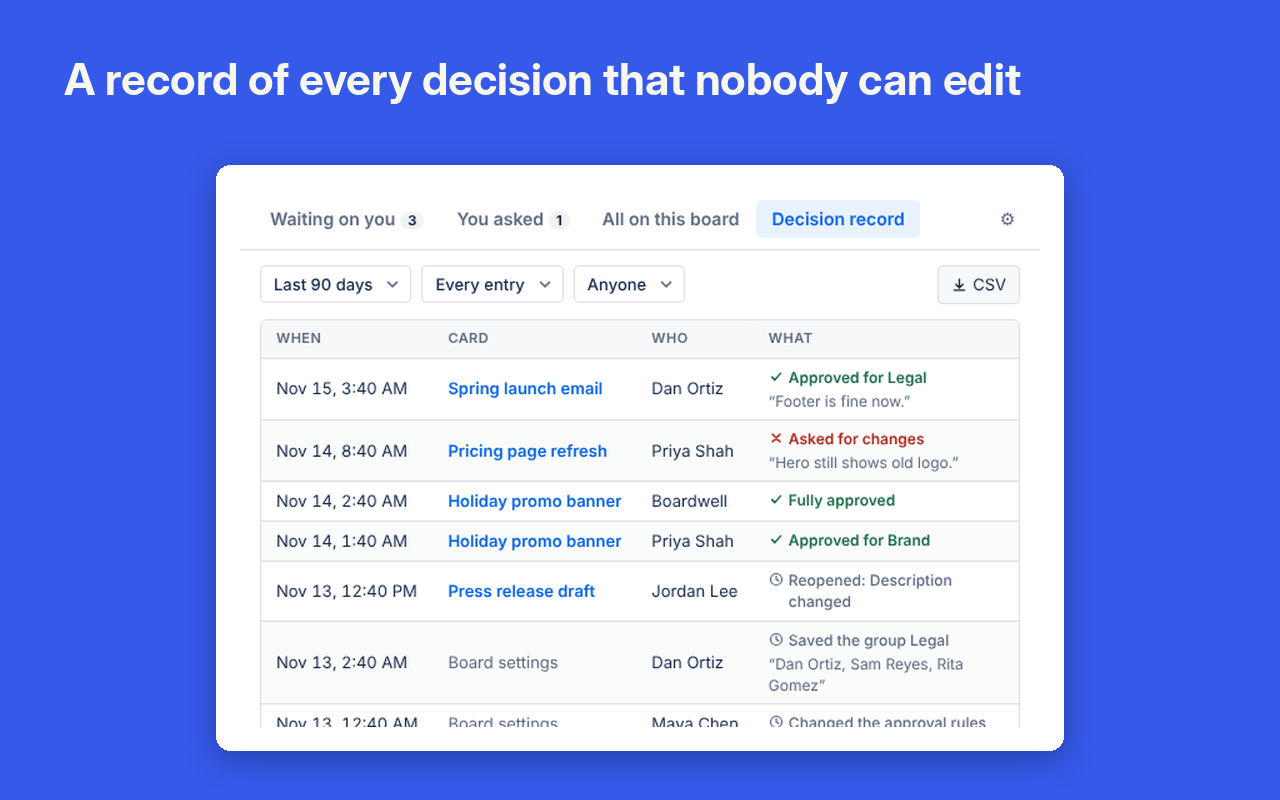
A record you can show an auditor
Every request, decision and rule change goes into a record that can't be edited or deleted. Download it as CSV.
Free on one board per workspace. The plan opens it to every board.

SLAs
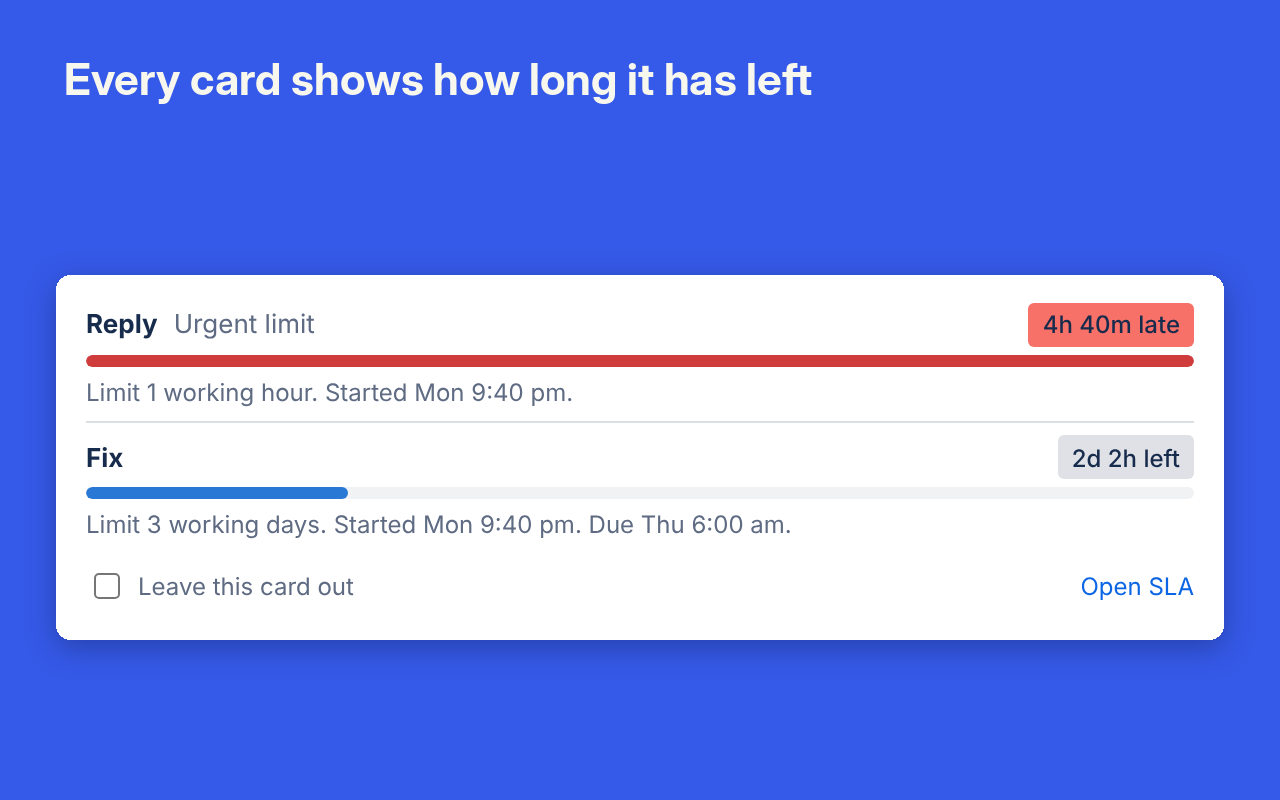
Set time limits on lists and see a live countdown on every card.
A countdown on every card
Set targets such as “reply within 1 working hour”. Cards show the time left: grey while there's time, yellow in the last quarter, red once it's late.
Counts the hours that matter
Clocks follow your working hours, time zone and days off. Lists like Waiting on requester pause the clock, and labels such as Urgent can have shorter limits.
See what's late right now
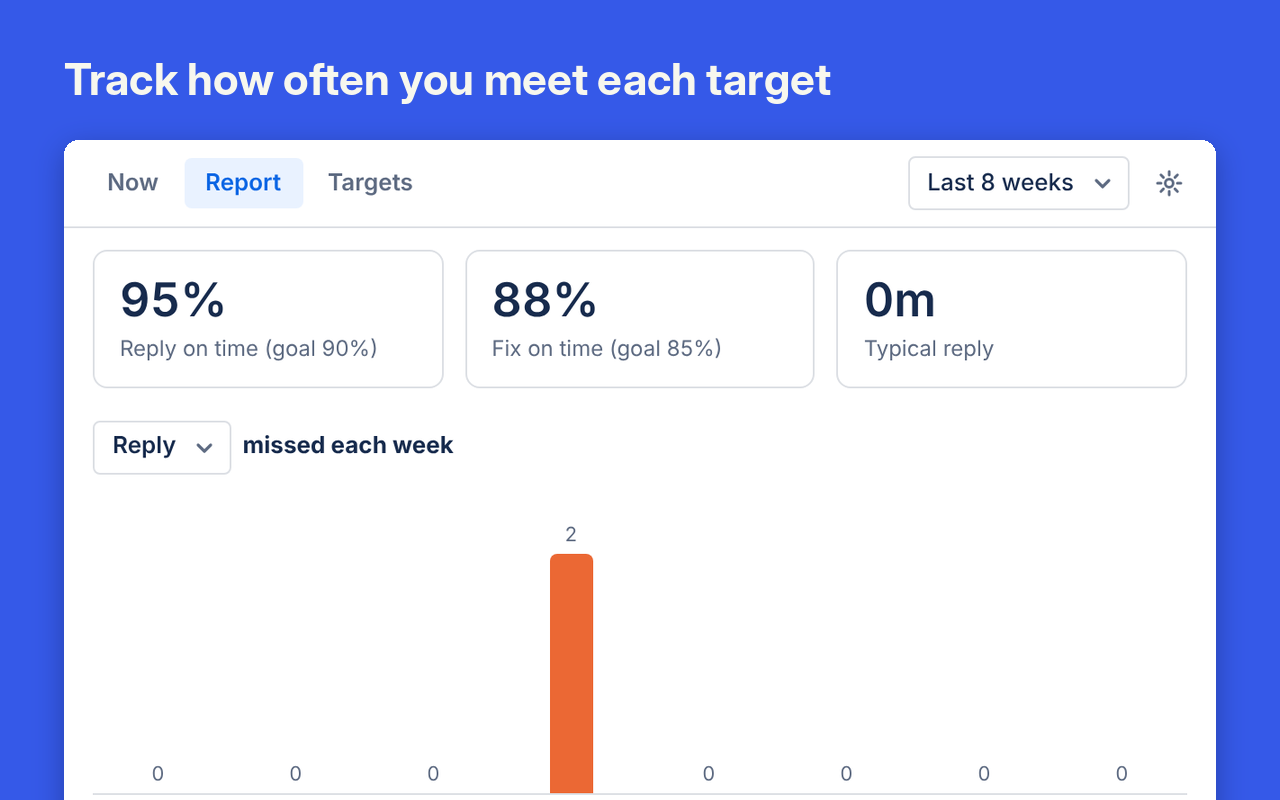
The SLA window lists late cards and cards running out. The report shows how often you met each target, week by week.
Archive Manager
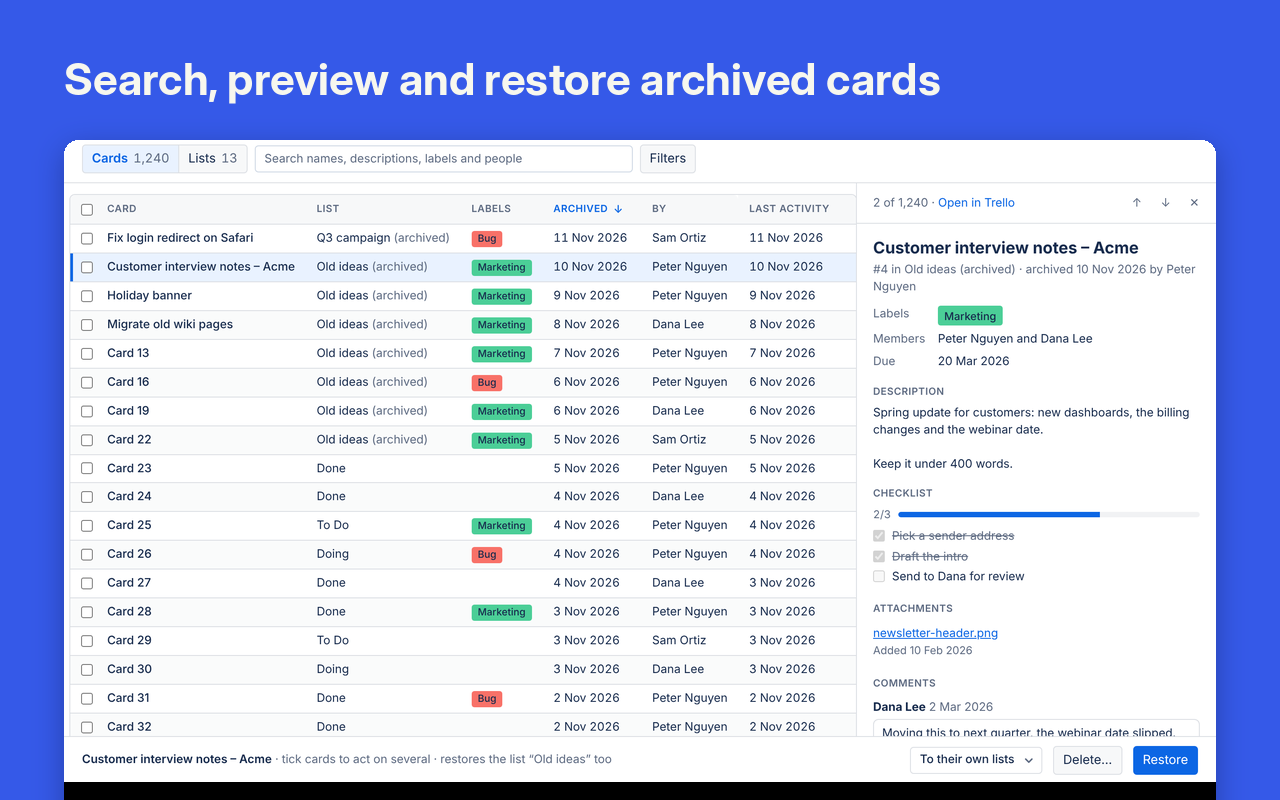
Find, restore or delete archived cards and lists from one searchable table.
Search the whole archive
Search names, descriptions, labels, people and card numbers. Filter by list, by who archived it, or by when.
Check before you restore
Click a card to preview its labels, members, dates, description, checklists and recent comments beside the table.
Restore or clear out in bulk
Tick as many cards as you need and restore them to their own lists or one you choose, with Undo. Delete the ones you no longer need after a confirmation.
Browsing and restoring one card at a time is free. Restoring or deleting several at once needs the plan.

Share Links
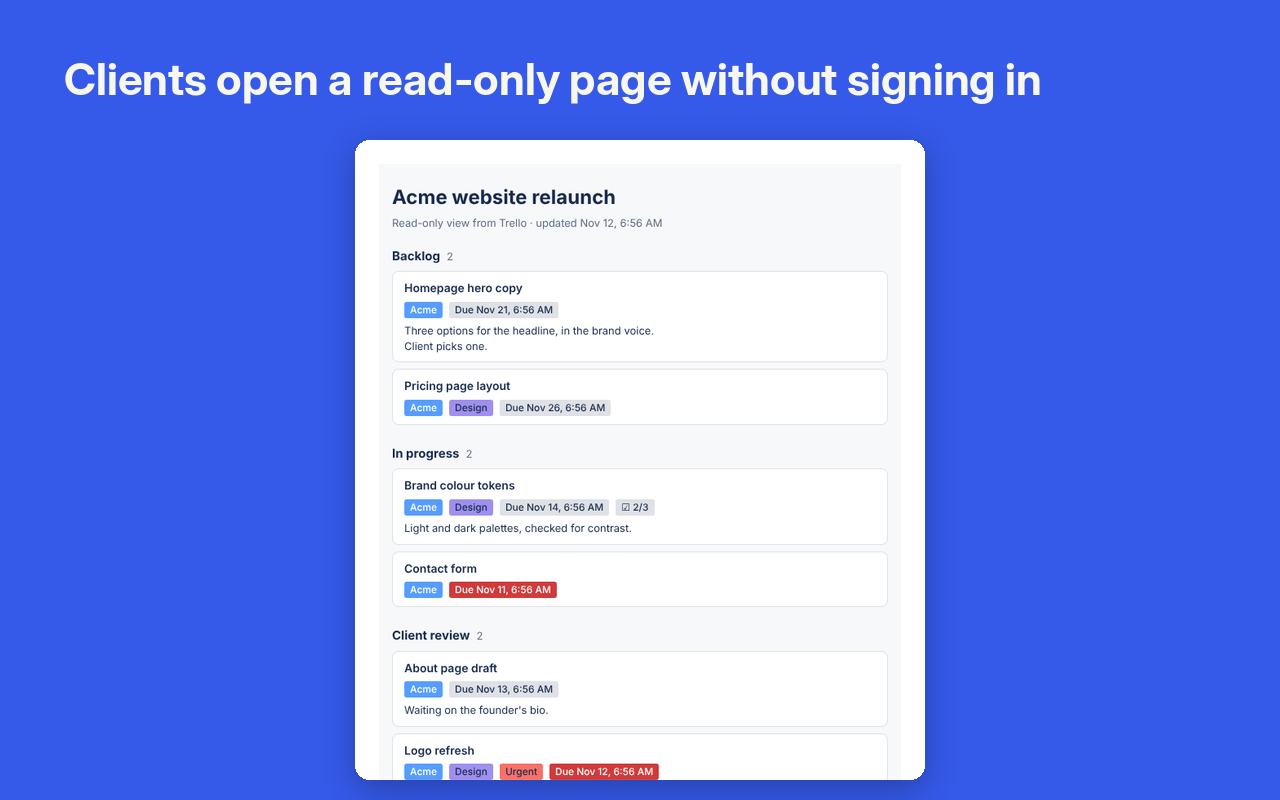
Share a read-only view of part of a board with people who don't have a Trello account.
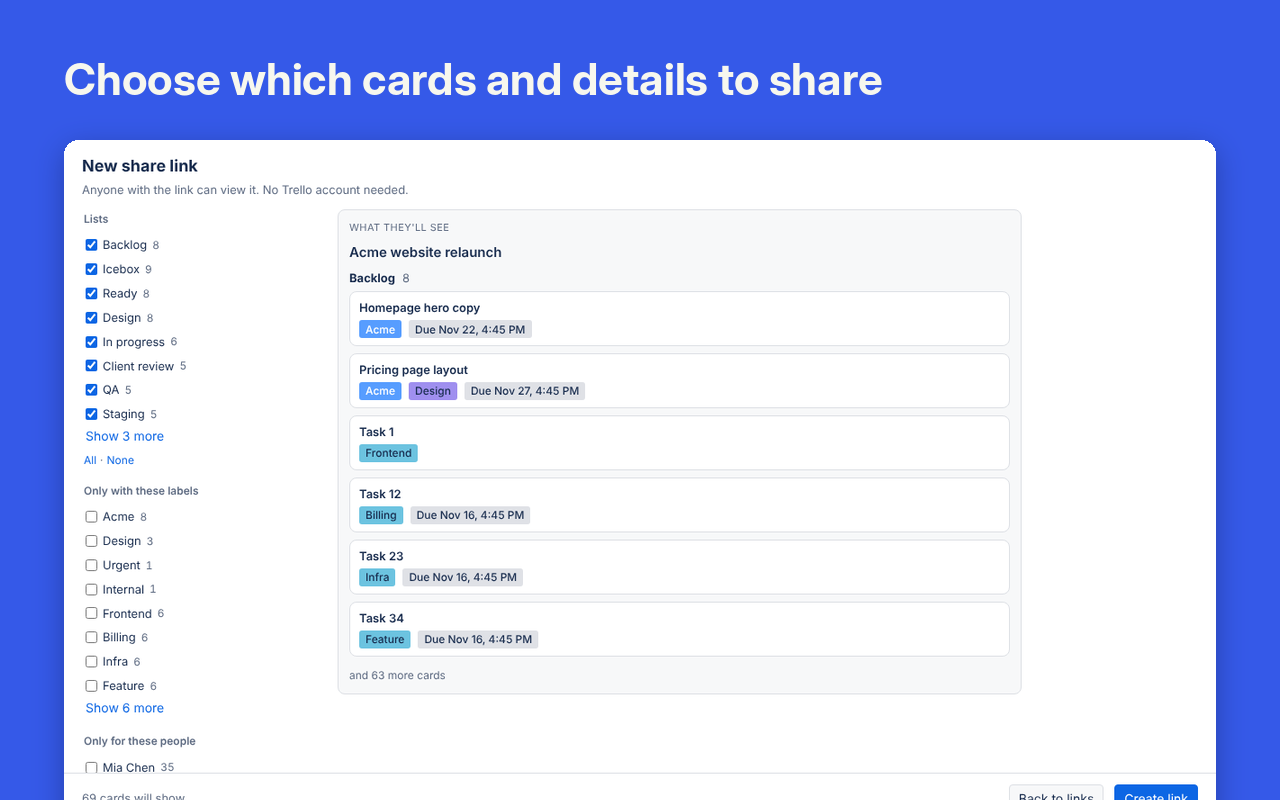
Share only what they need
Pick cards by list, label or person, or share a single card. Choose which details show. Everything else stays private.
Nothing to sign up for
People open the link in any browser and see the cards grouped by list. The page is never more than 2 minutes behind the board.
You stay in control
Links can expire after 1, 7, 30 or 90 days and can have a password. Revoke a link and it stops working on the next visit.